MOTION & TYPOGRAPHY
01
Let your words move.
Titles, kinetic type and Lyric Scene.
Bring feeling to every word.
Lyric Scene is a Rust port of JIZURA (MIT, © 2026 hakoniwa).

FOR STORIES WORTH TELLING
From the first cut to the final frame.
A space to edit, create and work with AI.
00 / THE FILM
This film was made in Dragon VE. An AI agent cut, titled, graded and exported it — every step on the timeline.
On-screen text is in Vietnamese · 1 min
01 / YOUR EDITING SPACE
Everything you need to bring an idea
to the timeline. And make it your own.
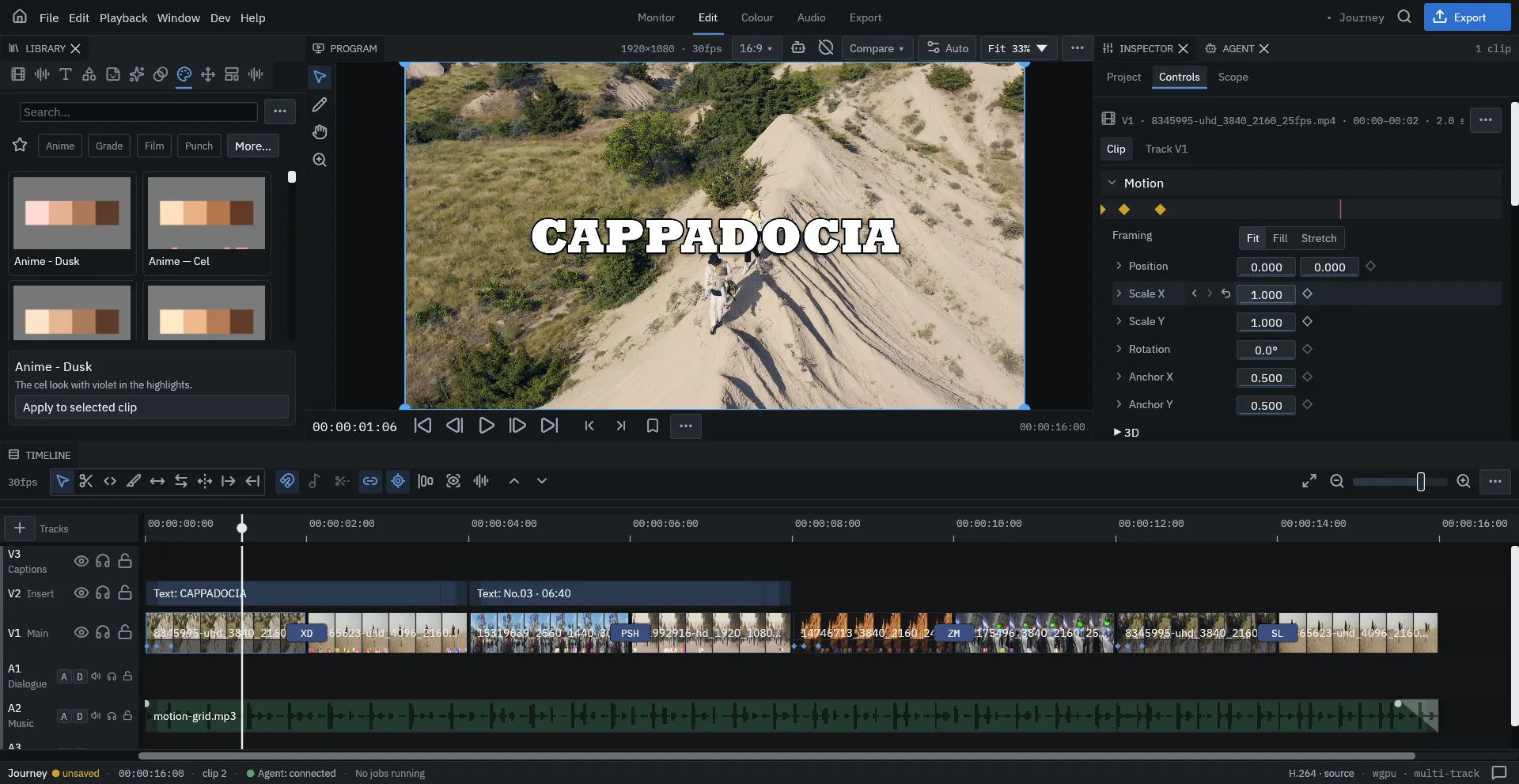
Cut, combine and arrange footage on a multi-track timeline. Refine transitions, sound and pacing in the same workspace.
02 / YOUR CREATIVE SIGNATURE
Color, rhythm and words.
The details that make your work memorable.
Titles, kinetic type and Lyric Scene.
Bring feeling to every word.
Lyric Scene is a Rust port of JIZURA (MIT, © 2026 hakoniwa).
 COLOR & ATMOSPHEREFROM FOOTAGE TO FEELING
Color grading, LUTs and effects.
Find the right feeling for your story.
03 / EDIT WITH AI
Describe what you want. An AI assistant works with Dragon VE to turn your instructions into edits you can refine on the timeline.
The story, the feeling and the rhythm.
Review, adjust and undo.
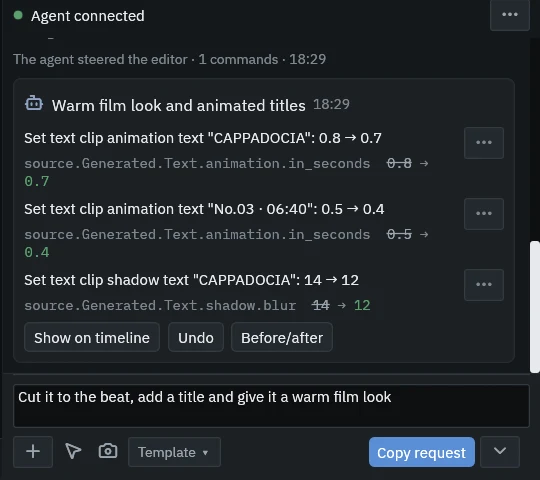
“Create a travel video. Cut to the beat, add a title and give it a warm film look.”
 Editing plan
From your instructions to an editable timeline.
04 / BEFORE YOU START
Dragon VE is a desktop video editor with a multi-track timeline, color tools, audio, kinetic type and effects. Edit directly or connect an AI assistant to help with your workflow.
Releases are available for Windows and macOS. The download page includes version information and installers for each platform.
Yes. The assistant works on your project in the editor. Review the timeline, adjust clips, effects and keyframes, or undo changes.
Download the release for your platform, open Dragon VE and create a project. Import your footage into the media library and start arranging clips on the timeline.
Read the documentation.
YOUR NEXT STORY IS WAITING.
For Windows & macOS